v1.0 Available Now

Master Your
YouTube Playlists

Stop losing important timestamps. Mark key moments in videos and organize your revision with a clean, movable panel directly inside YouTube.

youtube.com/playlist
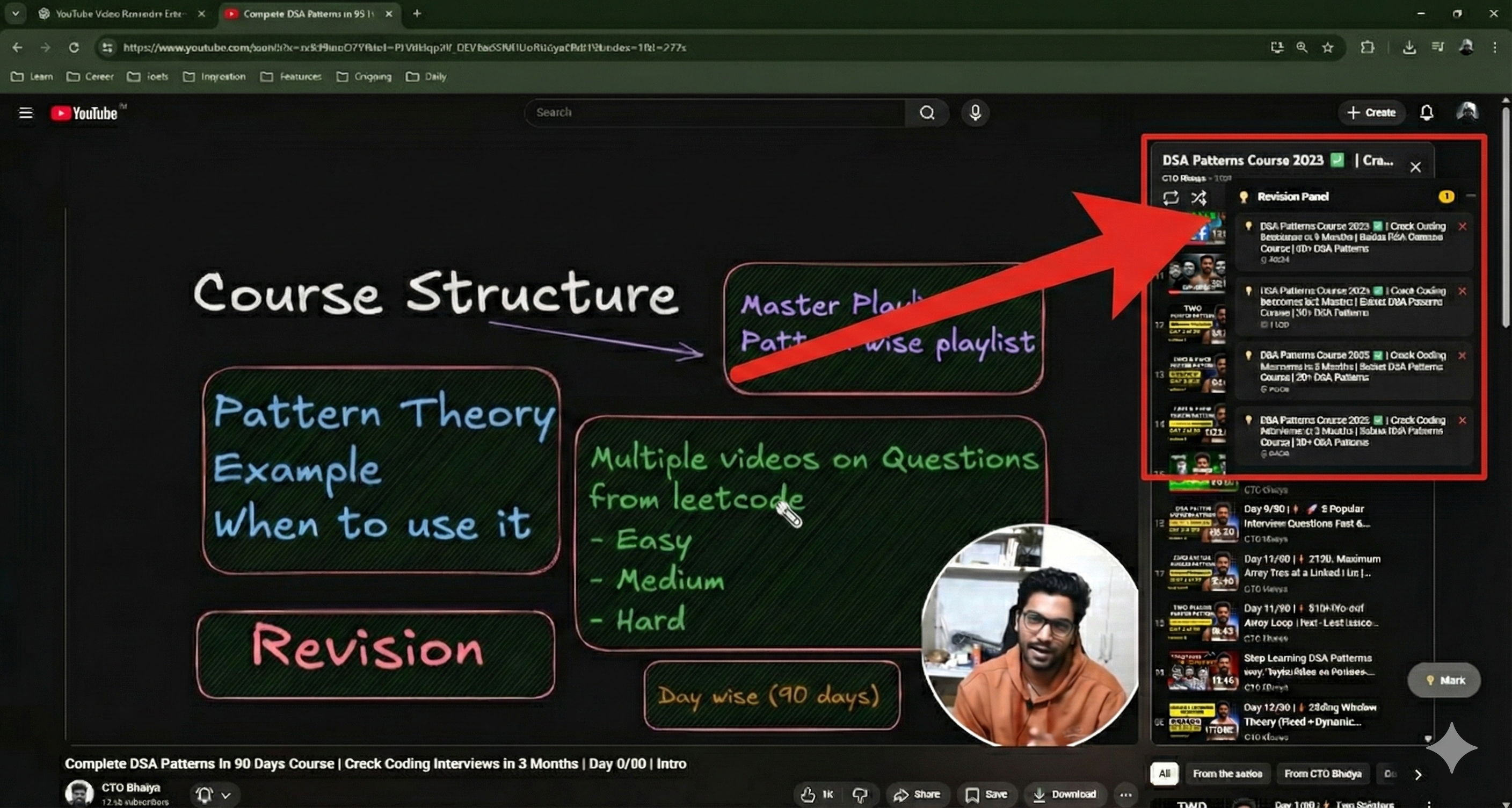
YouTube Revision Panel in action

Features

Built for serious learners

Smart Timestamps

One-click to save the exact moment. We automatically capture the video title and current time.

Playlist Specific

Context matters. The panel intelligently switches to show notes only for the playlist you are watching.

Movable UI

Don't block the subtitles. Drag, minimize, or expand the panel to fit your viewing style.

Instant Resume

Jump back in. Clicking a saved item instantly seeks the video player to that exact second.

100% Private

Your data stays yours. No external servers, no tracking. Everything is stored locally in Chrome.

Dark Mode Native

Designed with the same color palette as YouTube's Dark Theme for a seamless aesthetic.

How it works

1

Open a Playlist

Navigate to any YouTube playlist video you want to study.

2

Click "Mark"

Found a key concept? Hit the đź’ˇ Mark button. We save the time.

3

Revise Anytime

Open the panel to see your list. Click to jump, click ❌ to clear.

Ready to start?

Currently available as a local developer installation.

1

Download the Source

Download the latest version from our repository.

Download .ZIP
2

Open Extensions Page

Open Chrome/Brave/Edge and type this in the URL bar:

chrome://extensions
3

Load Unpacked

  • Toggle Developer mode (top right)
  • Click Load unpacked
  • Select the downloaded folder